
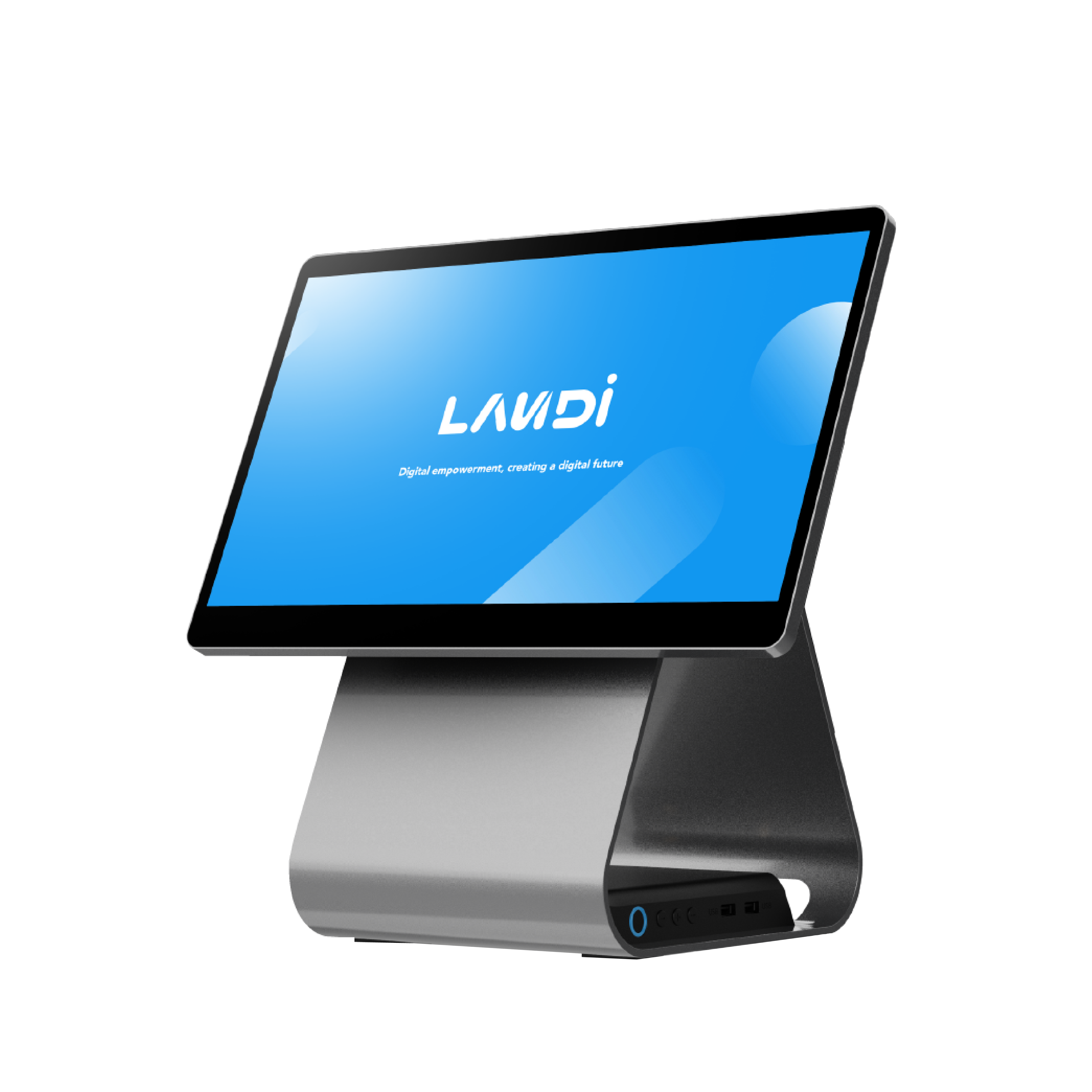
In today's fast-paced business environment, small businesses need smart, cost-effective solutions to stay competitive. An affordable point-of-sale (POS) system is a key tool that streamlines checkout workflows, manages sales and inventory, and enhances customer experiences. By choosing a budget-friendly POS, small business owners can focus on growth without straining their finances.
Efficiency and cost-effectiveness are vital in running day-to-day operations. An economical POS system not only saves money but also boosts productivity, allowing businesses to allocate resources to other critical areas. This article explores the benefits of affordable POS systems, key cost considerations, and the latest technology trends in POS systems.
Why Opt for an Affordable POS System?
Choosing a cost-effective POS system offers numerous advantages for small businesses:
- Cost Savings: Invest in a budget-friendly POS to save money and reinvest in other areas like marketing, inventory, or staff training.
- Improved Inventory Management: POS systems provide real-time stock insights, helping businesses avoid overstocking or shortages. Learn more about inventory management at 6 Benefits of Using a POS Inventory Management System.
- Enhanced Customer Experience: Fast, efficient checkout and integrated payment processing boost customer satisfaction and encourage repeat business.
- Scalability: Affordable POS systems often come with features that grow with your business, making them a long-term investment.
The right POS system can transform your business operations, making them more efficient and customer-friendly. With the right tools in place, small businesses can focus on serving customers and growing their brand.
Understanding POS System Costs
Knowing the cost of a POS system is essential for making informed decisions. Various factors contribute to the total cost:
- Hardware Costs: Includes all-in-one POS systems, touchscreens, barcode scanners, cash drawers, and receipt printers. Choose reliable hardware that fits your business needs. Explore options in the POS Systems collection.
- Software Fees: Many systems require a subscription or licensing fee. Ensure the software's features justify the cost.
- Transaction Fees: Some platforms charge per transaction, which can add up. Evaluate how these fees impact your bottom line.
- Installation and Training: Initial setup and staff training may incur additional costs. Factor these into your budget.
- Maintenance and Support: Ongoing support and maintenance are vital for smooth operations. Ensure your provider offers comprehensive support.
When evaluating costs versus benefits, consider how a POS system can streamline operations and potentially increase sales. Different pricing models, such as one-time purchases or monthly subscriptions, offer flexibility depending on your financial situation.
An Example of a Lower-Priced POS System
For small businesses seeking strong value without unnecessary extras, consider the Landi C20 Pro 4G Desktop POS Terminal (New). It’s a cost-conscious option that helps reduce total cost of ownership while covering essential checkout needs. Here’s why it’s a smart, budget-friendly pick:
- Competitive Upfront Cost: Priced to fit small business budgets, it helps you launch or upgrade a POS setup without heavy capital expenditure.
- Essential Functionality: Focuses on core POS tasks—ideal if you don’t need premium enterprise features, so you’re not paying for capabilities you won’t use.
- 4G Connectivity: The built-in 4G capability supports flexible deployments and can simplify network setup, which can reduce installation complexity and costs.
- Compact, Desktop Design: Space-saving hardware is practical for counters with limited room and helps maintain a clean, efficient checkout area.
- Straightforward Deployment: Its streamlined design supports quick setup and easier maintenance, reducing downtime and associated expenses.
If you’re comparing affordable options, this model is a practical example of how to balance price, reliability, and everyday performance.
Choosing the Right POS Register
Selecting the right POS register is crucial for improving your business. Consider these features:
- User-Friendly Interface: A system that's easy to use reduces training time and improves efficiency. Look for intuitive designs.
- Reliable Hardware: Durable, all-in-one POS systems ensure longevity and minimize downtime. Review options in the POS Systems collection to find a good fit for your environment.
- Scalability: Ensure your system can handle increased transactions and additional features as your business grows.
- Integration Capabilities: Your POS should integrate seamlessly with inventory management, eCommerce, loyalty, and accounting software.
- Customer Support and Maintenance: Reliable support is crucial. Choose a provider that offers robust support and maintenance.
By focusing on these features, you can select a POS register that meets your current needs and supports your business as it grows.
Latest Innovations in POS Technology
The world of POS technology is constantly evolving, offering new tools that enhance business operations. Keeping up with these changes can give small businesses an advantage:
- Mobile Integration: Many POS systems now offer mobile capabilities, allowing transactions anywhere within the premises, improving customer service and sales.
- Cloud-Based Systems: Cloud technology enables access to POS systems from anywhere, providing real-time data and insights, especially beneficial for businesses with multiple locations.
- Enhanced Security Features: Modern POS systems come with advanced encryption and secure payment processing to protect customer information.
- AI and Machine Learning: These technologies provide predictive analytics, helping businesses make informed decisions based on customer behavior and sales trends.
For more on future advancements, visit POS Technology Trends & Innovations in 2025.
Real-World Success Stories
Understanding how POS systems have transformed other businesses can provide valuable insights. Here are examples of successful integrations:
- Local Cafes: User-friendly POS systems streamline order processing and inventory management, leading to faster service and reduced waste.
- Retail Stores: POS systems handle sales and track inventory, ensuring popular items are always in stock and reducing overstock issues.
- Service-Based Businesses: Hair salons and repair shops use POS systems to manage appointments, process payments, and track customer preferences, enhancing overall satisfaction.
For detailed case studies, visit Case Studies - Sekure Payment Experts.
Conclusion and Next Steps
Investing in an affordable, cheap POS system can significantly enhance efficiency and cost-effectiveness. By choosing the right system, businesses can streamline checkout, centralize reporting, and reinvest savings into growth opportunities. We've explored the benefits of affordable POS systems, the importance of understanding costs, and key features to look for in POS registers.
As technology evolves, staying updated with the latest innovations in POS is crucial. Real-world examples show how effective these systems can be in driving business success.
For those considering a POS solution, now is the perfect time to explore options that suit your business needs. DCCSupply offers solutions and support to keep your operations running smoothly. Visit DCCSupply to discover how their offerings can help you achieve your business goals. To compare complete systems, see the collection of POS systems.