What is the Dejavoo P5 terminal?
The Dejavoo P5 is a handheld Android payment terminal featuring a 5-inch HD touchscreen, quad-core 2.0GHz processor, and multi-connectivity options including Bluetooth, WiFi, and 4G. It accepts EMV chip, contactless (Apple Pay, Google Pay, Samsung Pay), and magnetic stripe payments. The P5 is designed for mobile merchants, tableside service in restaurants, and retail environments requiring portability. Its 3000mAh battery provides 8-12 hours of operation per charge.
Why do I need a stand for a handheld terminal like the P5?
While the Dejavoo P5 is portable, many merchants use it in semi-fixed locations—checkout counters, hostess stands, reception desks—where a stand provides security, cable management, and accessibility. Payment terminal stands reduce tampering risk and protect customer financial data by securing the device to the counter. Stands also prevent accidental drops, organize charging cables, and create a professional checkout appearance. For businesses processing over $8 trillion in annual payment terminal transactions, stand security is essential to prevent skimming devices and unauthorized access.
Which DCCStands work with the Dejavoo P5?
DCCSupply offers multiple stand configurations for the Dejavoo P5:
- Swivel and Tilt Stands: 7-inch pole with 360° rotation and adjustable tilt for customer-facing transactions
- Fixed Stands: Low-profile countertop mounts with integrated charging
- Freestanding Stands: Portable base requiring no counter drilling, ideal for temporary setups
- VESA Mounts: Attach to POS monitors or tablet stands for integrated checkout systems
- Wall Mounts: Secure the P5 to walls for drive-thru windows or space-constrained areas
- Key Locking Stands: Secure the terminal with a physical lock to prevent theft in high-traffic environments
All stands include custom-fit plates designed specifically for the P5's dimensions and port layout.
What's included with DCCStands for the Dejavoo P5?
Each DCCStand includes the terminal-specific mounting plate, base or pole (depending on stand type), all necessary hardware for installation, and cable management channels. Most stands ship same-day when ordered by 2pm CT from our Northbrook, IL facility. All DCCStands are backed by a limited lifetime warranty covering manufacturing defects and structural integrity.
Can I use the P5 stand with a charging base?
Yes. Many DCCStands for the P5 include integrated cable routing to accommodate the terminal's USB Type-C charging cable. Freestanding swivel stands often feature a weighted base with cable pass-through, allowing the P5 to remain connected to power while docked. For countertop stands, cable management clips secure the charging cable beneath the counter surface to maintain a clean appearance.
What stand type is best for restaurant tableside payments?
For tableside service, most restaurants use a freestanding swivel and tilt stand at the server station or hostess stand. This allows servers to grab the portable P5 for tableside payments, then return it to the stand for charging between uses. The freestanding base requires no drilling and can be repositioned as needed. Some high-volume restaurants use a key locking stand to prevent terminal walkoff during busy shifts.
Do P5 stands work with protective cases or silicone sleeves?
Most DCCStands for the P5 are designed to fit the terminal without a case. If you use a silicone protective sleeve or carrying case, verify the stand plate dimensions before ordering. Some stands offer adjustable mounting plates that accommodate slim protective covers, but bulky cases typically require the terminal to be removed before docking.
How do I install a countertop stand for the Dejavoo P5?
Countertop stands ship with mounting hardware (screws and anchors) and installation instructions. Most installations take 10-15 minutes:
- Position the stand base on the counter and mark screw holes
- Drill pilot holes (typically 3-4 screws per base)
- Secure the base with provided screws
- Route the charging cable through cable management channels
- Attach the P5 to the custom mounting plate
For non-permanent installations, consider a freestanding stand with a weighted base—no drilling required.
Are Dejavoo P5 stands compatible with other Dejavoo terminals?
No. Stands are terminal-specific due to differences in device dimensions, button placement, and port locations. The Dejavoo P5 uses a different mounting plate than the P3, P8, QD2, or Z-series terminals. Always verify stand compatibility with your exact terminal model before ordering. DCCSupply offers stands for all Dejavoo models—search by terminal name to find the correct stand.
What's the difference between a 3-inch and 7-inch pole stand?
The pole height determines how far the terminal sits above the counter:
- 3-inch poles: Low-profile, ideal for tight spaces or when the terminal stays close to the counter. Often used in drive-thru windows or kiosks. Typically tilt-only (no swivel).
- 7-inch poles: Standard height for customer-facing transactions. Allows 360° swivel and adjustable tilt so customers can easily reach the terminal. Most common for retail and restaurant checkout counters.
Both pole heights use the same base and mounting plate—only the pole length differs.

 Dejavoo P5 Low Freestanding Swivel and Tilt Stand with Round Plate $88.00
  Dejavoo P5 Low Freestanding Swivel and Tilt Stand with Square Plate $88.00
  Dejavoo P5 Freestanding Swivel and Tilt Stand with Round Plate $88.00
  Dejavoo P5 Freestanding Swivel and Tilt Stand with Square Plate $88.00
  VESA Flat Swivel and Tilt Mounting Bracket for 19" to 23" Monitor - Black $75.00 Add to cart
 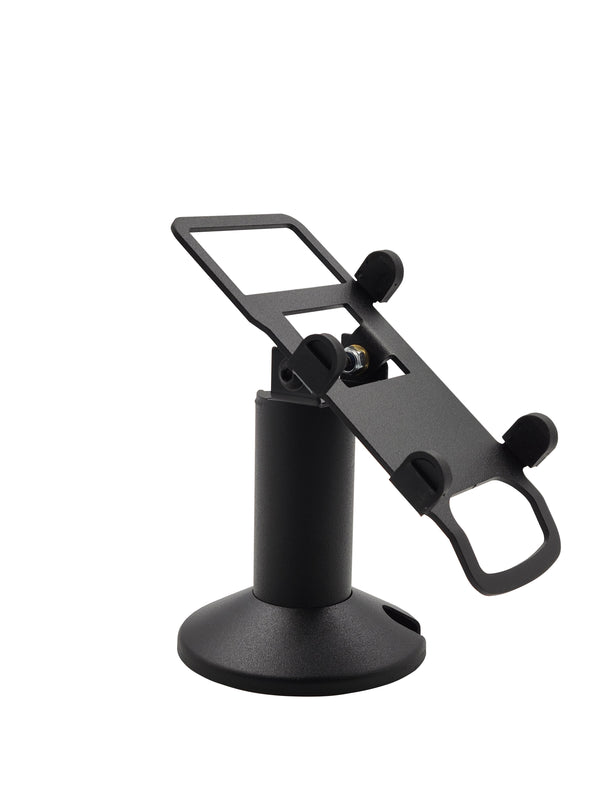 Dejavoo P5 Low Swivel and Tilt Terminal Stand $65.00
 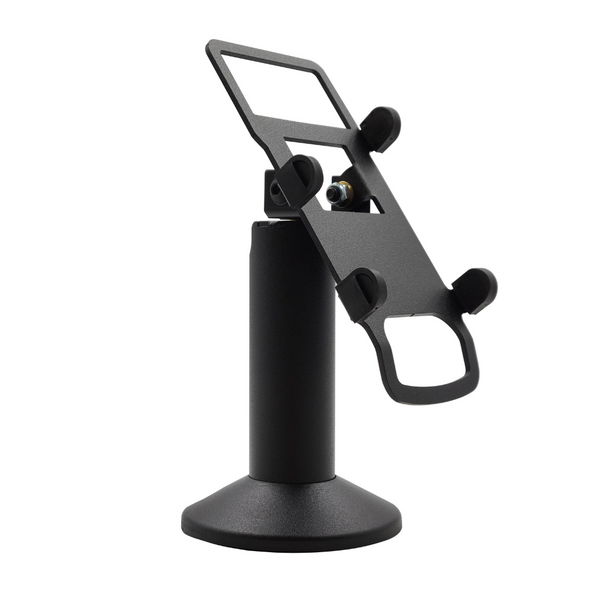 Dejavoo P5 Swivel and Tilt Stand $65.00 Add to cart


