Which DCCStands® payment device mount is best for my business?
The right mount depends on your checkout environment and how you use your payment terminal.
- Swivel & Tilt Mounts are ideal for retail stores and restaurants where the payment terminal is shared between employees and customers.
- Freestanding Mounts include a weighted base plate and do not require permanent installation.
- Wall Mounts maximize valuable counter space by mounting the payment terminal to a wall or other vertical surface.
- Key-Locking Mounts help deter unauthorized removal in customer-facing environments.
- VESA Mounts attach the payment terminal to a compatible POS monitor, creating a clean, space-saving workstation.
Which Dejavoo payment terminals are compatible with these mounts?
These DCCStands® payment device mounts are designed specifically for the Dejavoo P3 payment terminal. If you're looking for a mount for another Dejavoo model, including the P1, P5, QD2, QD4, Z3, Z6, Z8, or Z11, please visit the appropriate collection or contact DCCSupply at 847-266-1220 for assistance.
Do I need to drill into my countertop?
It depends on the mount you choose. Countertop-mounted models install using the included mounting hardware or adhesive pad. Freestanding models include a weighted base plate and do not require permanent installation. Wall mounts attach to a wall or other vertical surface using the included mounting hardware.
What's included with a DCCStands® payment device mount?
Each DCCStands® payment device mount includes the components needed for installation, including the mounting plate, pole or bracket (when applicable), mounting hardware, and installation instructions.
Payment terminal not included.
Does the stand interfere with charging or cable access?
No. DCCStands® payment device mounts are designed to provide convenient access to the Dejavoo P3 while integrated cable management helps keep charging and communication cables organized for a clean, professional checkout area.
How do I install a DCCStands® payment device mount?
Installation varies by product. Depending on the model, mounts may install using mounting hardware, an industrial-strength adhesive pad, or a weighted freestanding base.
For step-by-step guidance, please review our DCCStands® Installation Instructions:
https://www.discountcreditcardsupply.com/pages/dccstands-installation-instructions
Do DCCStands® payment device mounts include a warranty?
Yes. Every DCCStands® payment device mount is backed by DCCSupply's Limited Lifetime Warranty, covering defects in materials and workmanship under normal use and service.
For complete warranty terms, exclusions, and claim information, please review our DCCStands® Limited Lifetime Warranty:
https://www.discountcreditcardsupply.com/pages/limited-lifetime-waranty-on-dccstands
Do you offer Dejavoo P3 mounts for drive-thru or specialized applications?
Yes. DCCStands® offers drive-thru, wall mount, and other payment device mounting solutions designed for a variety of commercial environments. Contact DCCSupply if you'd like assistance selecting the right solution for your application.
What if I need help choosing the right payment device mount?
Our team is happy to help. Contact DCCSupply at 847-266-1220 or sales@discountcreditcardsupply.com for assistance with product selection, compatibility questions, or installation guidance before placing your order.

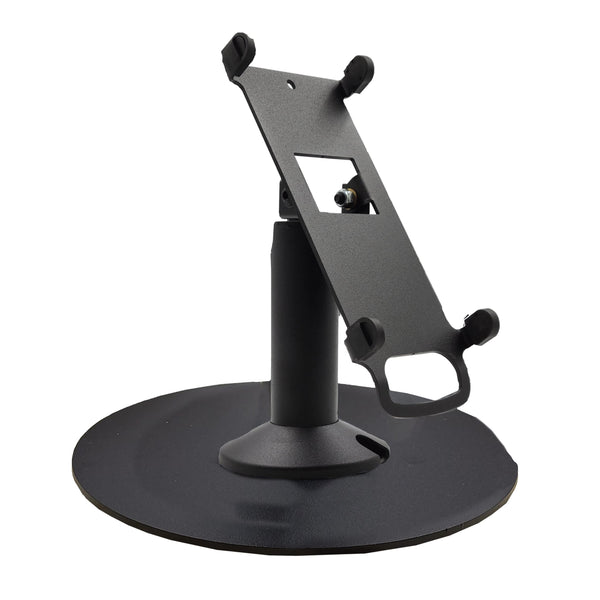 Dejavoo P3 Freestanding Swivel and Tilt Stand with Round Plate $88.00
 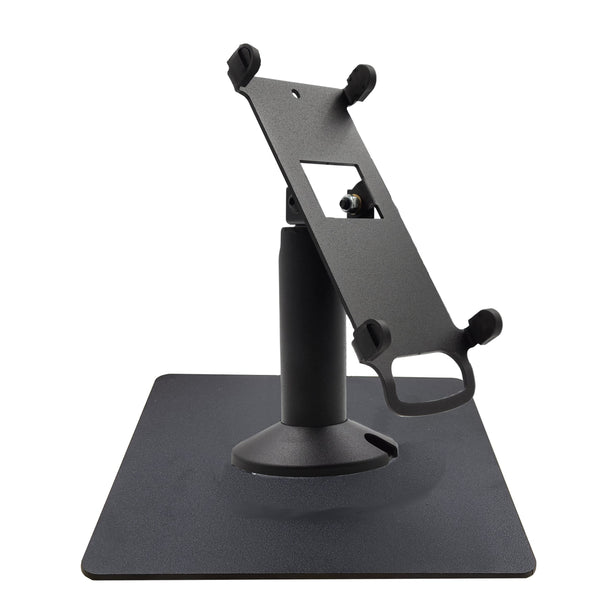 Dejavoo P3 Freestanding Swivel and Tilt Stand with Square Plate $88.00
  Dejavoo P3 Low Freestanding Swivel and Tilt Stand with Round Plate $88.00
  Dejavoo P3 Low Profile Freestanding Swivel and Tilt Stand with Square Plate $88.00
  Dejavoo P3 Low Swivel and Tilt Terminal Stand $65.00
  Dejavoo P3 Swivel and Tilt Stand $65.00 Add to cart
  VESA Flat Swivel and Tilt Mounting Bracket for 19" to 23" Monitor - Black $75.00 Add to cart


