
Boost Your Workspace Efficiency with Dual Screen Monitor Stands - DCCSupply
In the hustle and bustle of today's work environment, creating an efficient workspace is key to productivity. A dual screen monitor stand is a simple yet powerful solution to enhance your desk setup. Designed to support two monitors, these stands offer numerous benefits that can transform how you work.
Dual screen monitor stands not only boost productivity but also provide ergonomic benefits. By keeping screens at eye level, they help reduce neck strain and improve posture. Plus, they free up desk space, leading to a cleaner and more focused work area.
Understanding Dual Screen Monitor Stands
A dual screen monitor stand holds two monitors, allowing for optimal adjustment and alignment. Here’s why incorporating one into your workspace is a smart move:
- Enhanced Multitasking: Easily work on multiple applications at once, increasing productivity.
- Organized Workspace: These stands lift monitors off the desk, reducing clutter and creating more room for essentials.
- Ergonomic Benefits: As noted by ergonomic studies, they promote better posture by ensuring screens are at the right height and distance.
Types of Dual Screen Monitor Mounts
Choosing the right mount is crucial for setting up an efficient workspace. Here are the main types:
- Wall Mount Bracket: Attaches directly to the wall, saving desk space and offering a sleek look. Ideal for fixed setups.
- Monitor Arm Mount: Offers flexibility and adjustability by attaching to the desk or wall, allowing for height, tilt, and rotation adjustments. Perfect for dynamic workspaces.
Both options enhance workspace efficiency by reducing clutter and improving organization. Monitor arm mounts, in particular, enhance comfort by allowing users to adjust screen positions to meet ergonomic needs.
Setting Up Your Workspace with a Dual Screen Monitor Stand
Optimizing your workspace with a dual screen monitor stand involves careful planning. Here’s how to set up for maximum comfort and efficiency:
- Select the Right Mount: Decide between a wall mount bracket or a monitor arm mount based on your space and needs.
- Position Your Screens: Ensure screens are at eye level and an arm's length away to reduce neck and eye strain.
- Align Your Monitors: Place monitors side by side for a seamless viewing experience.
- Adjust for Comfort: Use the flexibility of the monitor arm mount to find the best viewing angles.
- Organize Your Desk: Keep your workspace tidy with cable management solutions and neatly arranged peripherals. For more tips, visit this guide.
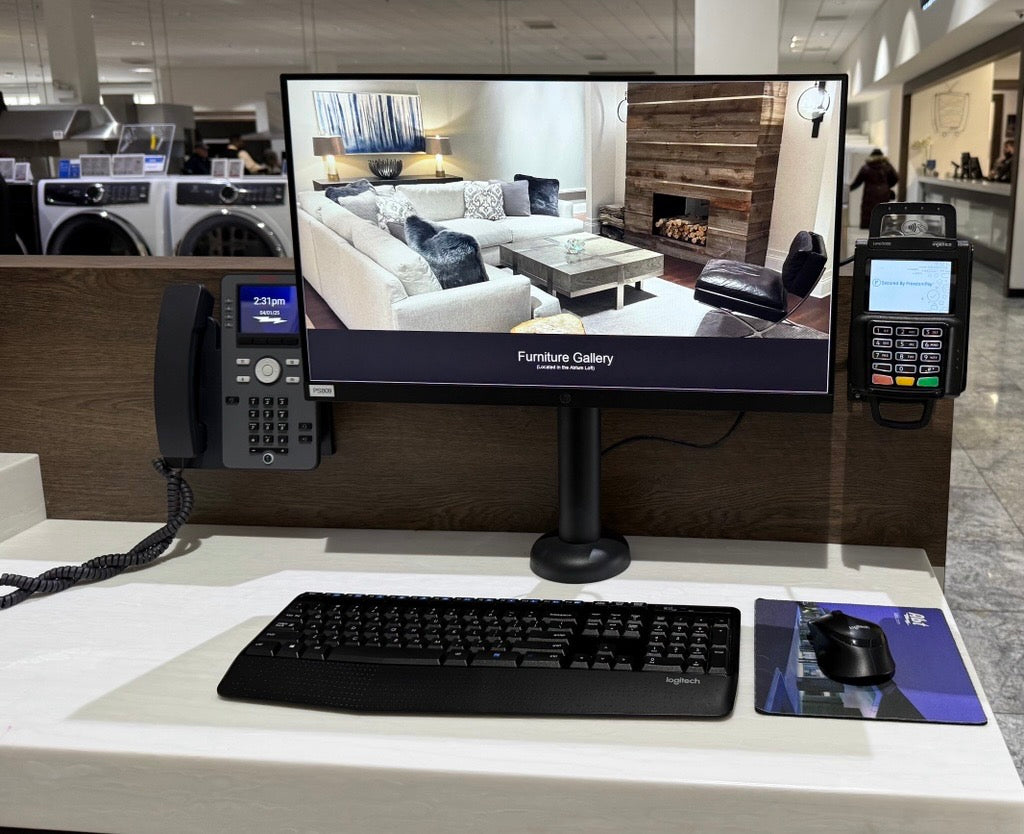
Integrating Payment Terminals with DCCStands VESA Mounts
Streamlining operations is key in today's business world. Attaching payment terminals directly to monitors with DCCStands VESA mounts not only saves space but also boosts functionality. Consider these benefits:
- Space Efficiency: Integrating payment terminals reduces desk clutter, leading to a more organized workspace.
- Improved Workflow: Quick access to payment terminals speeds up transactions, enhancing customer service.
- Versatile Options:
- Right and Left Mounts: Allow flexible positioning for easy access.
- Swivel and Tilt Mounting Action with an innovative design to allow the device to easily pivot towards both the customer and the merchant,
- One Piece Lane: A compact option that integrates the terminal directly with the monitor. Consider the Ingenico Lane/3000/3600/7000/8000 VESA Lift Mounting Bracket for 19" and 23" Monitor (One Piece).
Choosing the right VESA mount enhances point-of-sale processes, improving efficiency and customer experience. Explore options at DCCSupply to find the best fit for your business.
Trends in Office Technology
Dual screen monitor stands are becoming essential in modern office setups, aligning with several technology trends:
- Enhanced Collaboration: Dual monitors make it easier to share information and work on multiple applications simultaneously.
- Increased Flexibility: Perfect for home offices, dual screen setups offer the flexibility needed for remote work.
- Integration with Modern Tools: They support various digital tools, boosting productivity.
- Adapting to Trends: According to technology trends, workplaces are increasingly adopting tech solutions that enhance efficiency and satisfaction.
Conclusion: Enhance Your Workspace Today
Dual screen monitor stands can significantly improve your workspace's efficiency and ergonomics. Benefits include:
- Increased productivity through easy multitasking.
- Reduced desk clutter for a more organized workspace.
- Better posture and comfort, supported by ergonomic studies.
We invite you to explore dual screen setups to enhance your work experience and efficiency. Discover DCCSupply’s range of mounts and stands to find the perfect solution for your needs. Visit our website for more information.