
Cash Drawer Buying Guide: Choosing the Right Cash
What a Cash Till Actually Does
A cash till, or cash register drawer, is the part of your point-of-sale setup that holds your checks, cash, coins, stamps, and other valuables, giving your counter both security and organization. DCCSupply treats the cash drawer as a core piece of POS hardware, not an afterthought, and stocks it right alongside terminals, printers, and the rest of the checkout stack.
If you're setting up a new register or replacing a worn-out drawer, the decision usually comes down to three things: how the drawer connects to your system, how big a till you need, and whether new or refurbished makes more sense for your budget. Here's how to work through each one.
Printer-Driven vs. USB: Picking the Right Connection
Cash drawers aren't one-size-fits-all when it comes to hookup. Across the models DCCSupply carries, you'll find printer-driven cables, USB connections, and combination USB/printer interfaces, so compatibility comes down to the specific model and what it needs to plug into.
- Printer-driven drawers open through a signal sent from a receipt printer, using an interface cable. The Star CD3-1616, for example, is printer driven and ships with its interface cable included.
- USB drawers connect directly to a computer or POS terminal, which is handy if your printer doesn't support a drawer kick-out or if you're running a tablet-based setup. The Volcora 16" USB Cash Drawer is a straightforward example of this style.
- RJ11-driven drawers use a phone-jack-style connector, common on compact models like the 3nStar Mini Cash Drawer.
- Dual-interface drawers, such as the POS-X EVO-CD (CD18B), work over either USB or printer connection, giving you more flexibility if you're not locked into one setup.
Before you buy, check what your printer, terminal, or POS software expects. A drawer that's wired for printer-kick won't talk to a USB-only system without the right cable or interface, so match the connection type first and the features second.
Matching the Drawer to Your POS Brand
Some drawers are built generic and work with almost any printer or terminal that shares the same interface. Others are built for one brand's hardware. The Clover Cash Drawer, for instance, is purpose-built for the Clover Mini or Clover Station, with a white steel body, brushed aluminum face, bill tray, coin tray, two keys, and a cable in the box. If you run a different Clover device or a different POS brand entirely, that fit won't carry over automatically, so it's worth confirming compatibility against your exact terminal model's spec sheet before ordering.
Size, Till Layout, and Till Capacity
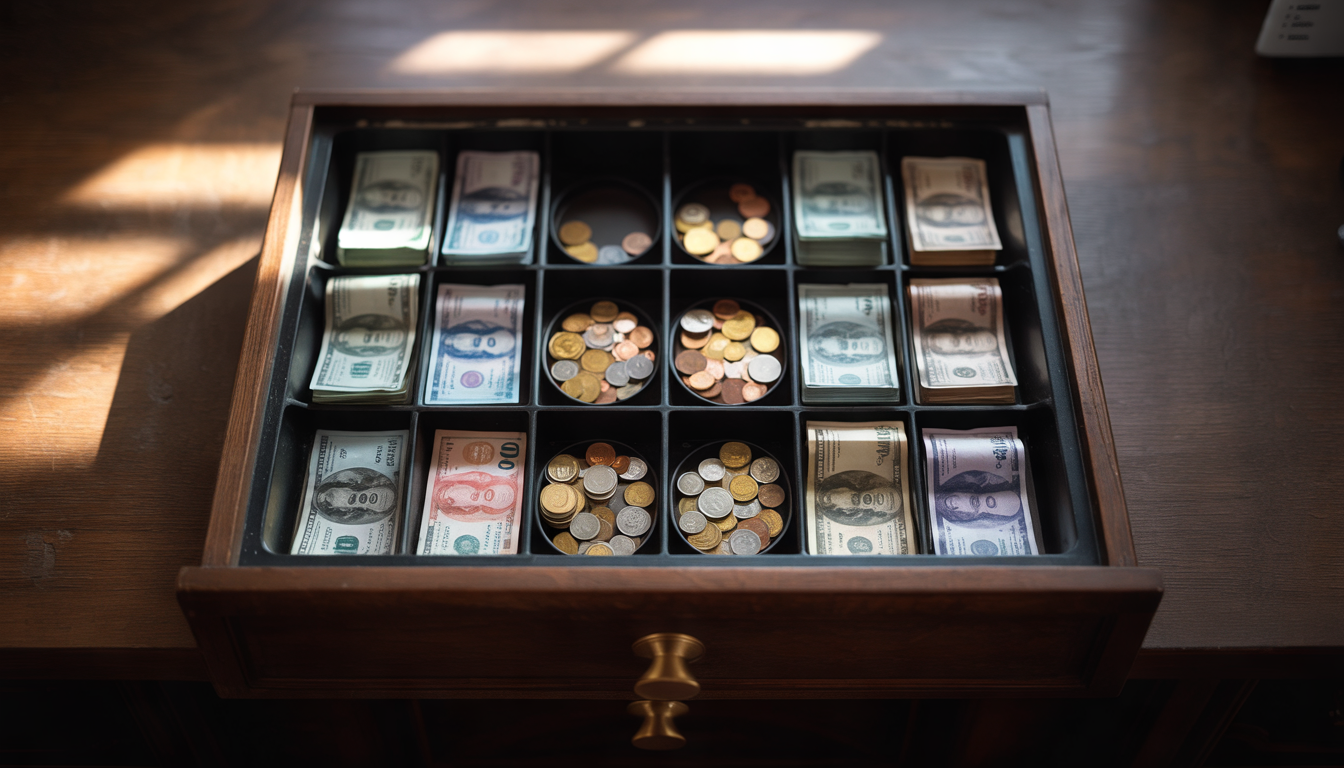
Till layout is usually described as a bill-slot-to-coin-slot ratio, plus any media slots for checks or receipts. A few examples from DCCSupply's lineup show the range:
| Model | Till layout | Interface | Dimensions |
|---|---|---|---|
| Star CD3-1616 | 5 bill / 8 coin, 2 media slots | Printer driven | 16" x 16" |
| Volcora 16" USB | 5 bill / 8 coin, 2 media slots | USB | 16" x 16" x 4" |
| POS-X EVO-CD (CD18B) | 5 bill / 5 coin | USB/Printer | 18" x 18" x 4" |
| 3nStar Mini | 3 bill / 4 coin | RJ11 | 3.5" x 8.4" x 11.4" |
A high-volume counter that handles a lot of cash and coin usually does better with a full-size 16" or 18" drawer and more media slots for checks. A tight countertop, a kiosk, or a secondary register often fits better with a compact drawer like the 3nStar Mini.
New or Refurbished?
DCCSupply sells cash drawers both new and refurbished, in separate collections, so you can pick based on budget without hunting through mixed listings. The refurbished POS-X EVO-CD runs lower than many new drawers, and the refurbished Clover Cash Drawer is priced well under its new counterpart, the Clover Cash Drawer YJ1, while sharing the same white steel build, brushed aluminum face, bill tray, coin tray, two keys, and cable. If your drawer just needs to do its job reliably and you don't need it factory-fresh, refurbished is worth a look.
Warranty, Returns, and Shipping to Know Before You Order
A couple of things worth checking before checkout:
- DCCSupply's standard one-year warranty page lists terminals, PIN pads, printers, carrying cases, spill covers, and select third-party stands as covered products; cash drawers aren't named on that list, so confirm warranty terms on the specific drawer listing before you buy.
- The standard return policy gives you 30 days from purchase to return an eligible item in original, unused condition with its original packaging and proof of purchase. A $20 rebox fee applies if the box is damaged or written on, and return shipping is on the buyer.
- DCCSupply ships from its Northbrook, Illinois warehouse nationwide via FedEx and UPS, with ground, expedited, and overnight options, and offers a same-day shipping guarantee on qualifying orders — worth checking if you need a drawer in hand fast.
If you have questions about fit, interface, or what's covered on a specific model, DCCSupply's support team answers bilingually in English and Spanish at 847-266-1220, 9am-5pm CST, or you can browse the full FAQ for more on ordering, shipping, and service details.
DCCSupply has been supplying POS hardware since it was founded in 2007 on Chicago's North Shore, and has grown into a 42-person team with seven Inc. 5000 rankings in nine years — so the cash drawers on its shelves sit alongside the same terminals, printers, and accessories it outfits merchants, ISOs, and resellers with across North America.
Frequently asked questions
What's the difference between a printer-driven and a USB cash drawer?
A printer-driven cash drawer opens through a signal sent by a connected receipt printer and uses an interface cable to do it — the Star CD3-1616 works this way. A USB cash drawer, like the Volcora 16" USB Cash Drawer, connects directly to a computer or terminal instead of routing through a printer. Which one you need depends on how your printer or POS terminal is set up to trigger the drawer.
Will any cash drawer work with my POS terminal?
Not automatically. Some cash drawers are built to work broadly with any printer or terminal sharing the same interface, while others are matched to one brand, like the Clover Cash Drawer, which is built specifically for the Clover Mini or Clover Station. Always check the connection type and brand fit against your exact hardware before ordering.
Should I buy a new or refurbished cash drawer?
Both are reasonable choices depending on budget. DCCSupply sells cash drawers new and refurbished in separate collections, with refurbished units like the POS-X EVO-CD and the refurbished Clover Cash Drawer priced lower than their new equivalents while offering the same core build and features.
Are cash drawers covered under DCCSupply's standard warranty?
DCCSupply's standard one-year warranty page lists terminals, PIN pads, printers, carrying cases, spill covers, and select third-party stands as covered products, and cash drawers aren't named on that list. Check the warranty terms on the specific cash drawer listing you're considering before you buy.
How big a till do I actually need?
It depends on your cash volume and counter space. Full-size 16" or 18" drawers, such as the Star CD3-1616 (with media slots for checks) or the POS-X EVO-CD, give you more bill and coin capacity, which suits busier counters. A compact drawer like the 3nStar Mini fits tighter spaces or lower-volume registers.
Can I return a cash drawer if it doesn't fit my setup?
DCCSupply's standard return policy allows returns within 30 days of purchase for eligible items in original, unused condition with original packaging and proof of purchase. A $20 rebox fee applies if the box is damaged or written on, and the buyer covers return shipping.
``` ### Once it's live Add a link to it from the Buying Guides & Learning Center page, so visitors and search engines find it. Add this photo at the top of the page: Photograph a lineup of several actual cash drawers from DCCSupply's stock, open, showing bill and coin trays, on a counter alongside a receipt printer and POS terminal Add this photo under ‘Matching the Drawer to Your POS Brand’: Photograph the Clover Cash Drawer unit itself, white steel body with brushed aluminum face, keys, and cable, sitting next to a Clover Mini terminal ## How to help me - Use the words exactly as written, without rewording, shortening or adding to them. - Find out how my editor is set up before you give me steps: ask me, or ask for a screenshot. - Give me one step at a time, and wait for me to say it's done. - When everything is in, help me check the page against this message.